
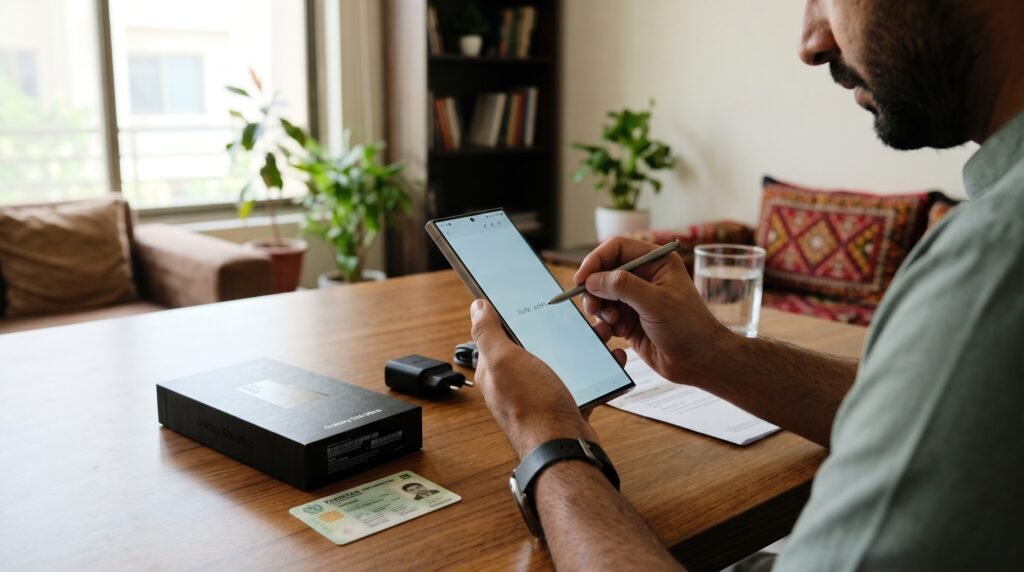
Most of us forget our own mobile number at some point — usually right when a form asks for it. If you use a Zong SIM, learning how to check zong number takes less than a minute: dial a USSD code, use the My Zong app, call the helpline, send an SMS, or use the PTA SIM check.
One warning first: the codes are reported differently across blogs. The code most often cited is *8#, but some sources list *2#, *1# or *310#, and codes can change. This guide gives you the alternates too, plus the app and helpline methods, which need no code. If a code fails, confirm the current one on zong.com.pk.
How to Check Zong Number — 5 Easy Methods
Here are the five methods, starting with the quickest. None needs balance; only the app needs the internet.
Method 1 — Dial *8# (the Most-Cited Code)
The most-cited code is *8#, so try it first.
- Open the dialler on your phone.
- Type *8# and press the call button.
- Wait a few seconds. Your number appears on screen, usually as a flash message.
- Save the number in your contacts.
This works on any phone, even a basic keypad phone. If it returns an error, move on to the alternates below.

Method 2 — Try the Alternate Codes *2#, *1# or *310#
If *8# fails, try these alternates one by one. Different sources report different codes, so one of them usually works.
- Dial *2# and press call. If your number appears, you are done.
- If not, try *1# the same way.
- If that also fails, try *310#.
Use one code at a time. If none of the four works, the problem is probably not the code — see the troubleshooting section below.
Method 3 — Use the My Zong App
The My Zong app is the most reliable method: it shows your number on the home screen without any code.
- Download the My Zong app from the Google Play Store or Apple App Store.
- Open the app. It detects your Zong SIM and sends an OTP by SMS to confirm.
- Enter the OTP. Your number then appears on the home screen.
The app needs the internet, so use Wi-Fi without a data bundle. For balance checks, see our guide on how to check zong balance, and for bundles, zong monthly internet packages 2026.
Method 4 — Call Helpline 310
If the codes and the app both fail, call the Zong helpline on 310 from your Zong number. Choose the account or number inquiry option, or wait for an agent, who can confirm your number after verifying your identity — keep your CNIC details ready.
The call may carry a small charge and you may wait in a queue, so use it only when the free methods fail.
Method 5 — Send “MYNO” by SMS to 777
Some guides report that texting MYNO to 777 makes Zong reply with your number. This is the least consistently reported method, so treat it as a backup.
A small SMS charge may apply, and the reply can take a few minutes. If you get no reply, do not resend it — use the app or the helpline instead.
How to Check Zong Number via PTA (SIMs on Your CNIC)
The PTA SIM check does not show your number directly, but it confirms which numbers are on your CNIC — useful if you are not sure the SIM is in your name.
- Send your CNIC number, without dashes, by SMS to 668.
- PTA replies with the total SIMs on your CNIC, broken down by operator.
- If the count looks wrong, visit a Zong franchise or call helpline 310.
Our guide on how to check sims on cnic explains this in detail, including what to do about an unknown SIM on your CNIC. The 668 service may carry a small SMS charge. Also check your SIM is registered — our guide on how to check PTA mobile registration status shows how.
How to Check Zong Number When the Code Does Not Work
Sometimes the code fails, and the fix is usually simple.
First, check you are dialling from the Zong SIM. In a dual-SIM phone, the code runs on the SIM you call from, so set Zong as the default for calls, or select it in the dialler first.
Second, restart your phone and try again — a stuck network session can block USSD codes. Also check you have Zong signal, because USSD codes do not work without one, even if Wi-Fi is on.
Third, a brand-new SIM may not be fully activated yet. It usually activates within a few hours. If it has been more than 24 hours, call helpline 310 or visit a Zong franchise with your CNIC.
Finally, if your SIM was never registered in your name, or it was blocked, the code will not work. Use the PTA check above to see the SIMs on your CNIC, and visit a franchise to fix the registration. Remember that codes change — if all four fail, confirm the current code on zong.com.pk or call 310. If the problem is a second SIM, our guide on how to check telenor balance covers the same checks for a Telenor number.
Quick Checklist: Check Your Zong Number in Under a Minute
- Try *8# first. If it fails, try *2#, *1# or *310#.
- For a code-free check, use the My Zong app.
- Call helpline 310 if the codes and the app both fail.
- Send “MYNO” to 777 only as a last resort.
- Use the PTA 668 service to check the SIMs on your CNIC.
- Confirm a failed code on zong.com.pk first.
- Save your number in your contacts.
FAQs
What is the code to check Zong number?
The most-cited code is *8#. Dial it from your Zong SIM and your number appears within a few seconds. If it fails, try *2#, *1# or *310#.
How can I check my Zong number without balance?
Use the My Zong app over Wi-Fi — it is free and shows your number on the home screen. The USSD codes need no balance either, though the helpline and SMS may carry a small charge.
How do I check my Zong number on a keypad phone?
Dial *8# from your Zong SIM and press call — your number appears on screen. This works on any basic phone with no internet. If it fails, try *2#, *1# or *310#, or call 310.
Can I check my Zong number through PTA?
No. The PTA 668 service only tells you how many SIMs are on your CNIC, broken down by operator. To see the number itself, use a Zong code, the My Zong app, or helpline 310.
