
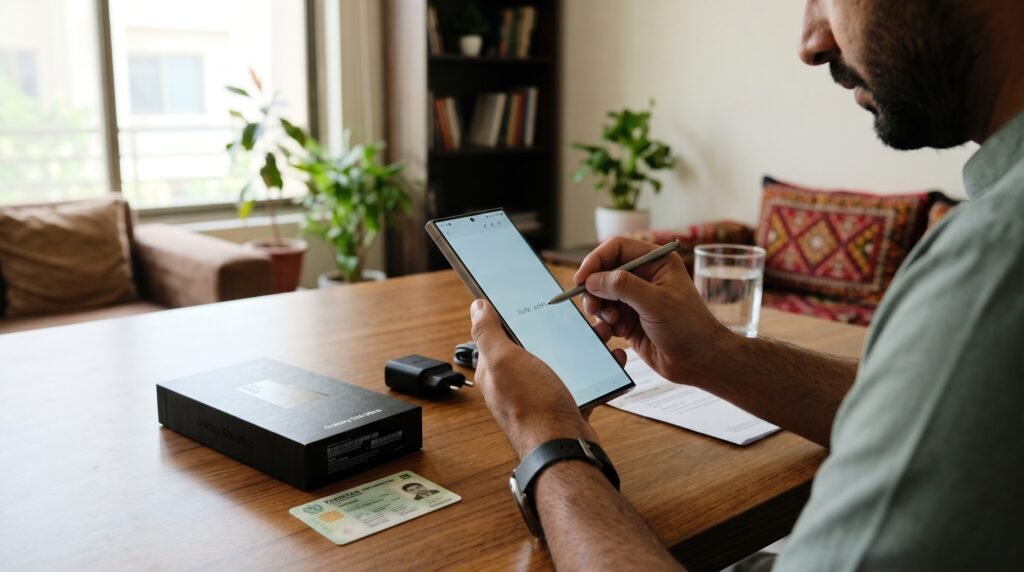
If you want to know how many SIMs are registered on your CNIC, you should learn how to check SIMs on CNIC before a stranger’s number causes you trouble. In Pakistan, every SIM is linked to a CNIC, and sometimes a SIM is issued in your name without your knowledge. It can be an old SIM you forgot about, or a SIM someone is using for fraud. The good news is that the Pakistan Telecommunication Authority, or PTA, gives you two simple ways to check. This guide explains both methods step by step.
How to Check SIMs on CNIC by SMS to 668
The easiest method is the SMS method, and it works on any mobile phone. Open your messaging app and type your 13-digit CNIC number as the message. Do not add any dashes or spaces — just the 13 digits, for example 3520212345678. Send that message to 668. A small charge of around Rs 2 plus tax may apply, and the reply will come back in a few moments. The reply will tell you how many SIMs are registered on your CNIC, broken down by network — a count for Jazz, Telenor, Zong, Ufone, and so on.

How to Check SIMs on CNIC Online at cnic.sims.pk
If you prefer to check online, use PTA’s official SIM Information System portal at cnic.sims.pk. Go to the portal in your browser and type your 13-digit CNIC number without dashes in the form, complete the simple verification step, and submit it. The portal is free to use, and it shows you the same result as the SMS method: the number of SIMs registered on your CNIC for each network. Always use the official portal. Never type your CNIC number on any other website, because fake sites can misuse it.
What the Reply Shows — and What It Does Not Show
The reply from 668 or from cnic.sims.pk shows only the COUNT of SIMs on your CNIC for each network. It does not show the phone numbers. It does not show the names of the people using those SIMs. It does not show when a SIM was activated. So if the reply says you have two Jazz SIMs and you only use one, you will know that an extra SIM exists, but you will not know its number from this check alone. To find the number and block it, visit the operator’s franchise, as explained below.
The 8-SIM Limit: 5 Voice SIMs and 3 Data SIMs
PTA allows a maximum of 8 SIMs on one CNIC in total. That limit is split into two types. You can have up to 5 voice SIMs, which are the normal SIMs you use for calls, SMS and mobile data. You can also have up to 3 data-only SIMs, which are the SIMs used in data devices and dongles. The limit applies across all networks together, not per network. So if you already have 5 voice SIMs, you cannot buy a sixth voice SIM on the same CNIC, even from a different network.
How to Block a SIM in Your Name That You Do Not Use
If your check shows a SIM that you do not use, do not ignore it. A SIM in your name can be misused, and you are responsible for it. To block it, visit the franchise or customer service centre of the network that issued the SIM, and take your original CNIC with you. At the centre, you will go through biometric verification, which means your fingerprint will be checked against your CNIC record. Once your identity is confirmed, the staff can tell you the number of the extra SIM and block it on the spot.
How to Report a SIM You Did Not Buy
If you find a SIM registered on your CNIC that you never bought, report it as misuse. You can call PTA’s helpline on 0800-55055 and explain the problem. You can also contact PTA’s RAABTA WhatsApp assistant on 0315-0055055. When you report, keep your CNIC number ready, and note down the date and time of your complaint. After you report it, visit the operator’s franchise as soon as you can and get the SIM blocked, because a complaint alone does not switch the SIM off. See our guide on how to check PTA mobile registration status to check your phone too.
Two Useful Codes: MNP and Network Check
There are two more short codes that are useful once you know how to check SIMs on CNIC. The first one checks a single SIM. If you want to check the registration status of one specific SIM, send MNP to 667 from that SIM. The second one checks which network a number belongs to. If someone calls you from a number and you want to know its network, send a message in this format to 76367: the letter N, a space, and then the full mobile number, for example N 03xxxxxxxxx. A charge of Rs 2 plus tax applies. For safe phone buying, read our guide to exploring Hall Road Electronics Lahore.
Only Check SIMs on Your Own CNIC
One last rule, and it is important. You may only check the SIMs on your OWN CNIC. Checking someone else’s CNIC number, even a family member’s, is not allowed without their permission. If you want to help a parent or an elderly relative, do the check with them present, using their own phone and their own CNIC. Never share your CNIC number in a public group, on social media, or with a stranger who offers to check it for you.
Quick Checklist: Check SIMs on Your CNIC
- Send your 13-digit CNIC number without dashes by SMS to 668, or check it free on cnic.sims.pk.
- Compare the count for each network with the SIMs you actually use.
- Remember the limit: 8 SIMs in total, 5 voice SIMs plus 3 data-only SIMs.
- If you find a SIM you do not use, visit the operator’s franchise with your original CNIC and get it blocked after biometric verification.
- Report misuse on 0800-55055 or on the RAABTA WhatsApp assistant at 0315-0055055.
FAQs
How many SIMs can I have on one CNIC in Pakistan?
You can have a maximum of 8 SIMs on one CNIC in total: up to 5 voice SIMs and up to 3 data-only SIMs, across all networks together.
Is checking SIMs on CNIC free?
Checking on the cnic.sims.pk portal is free. Checking by SMS to 668 may cost around Rs 2 plus tax. Do not pay anyone else for this check.
What should I do if I find a SIM on my CNIC that I did not buy?
Report it on PTA’s helpline 0800-55055, then visit the operator’s franchise with your original CNIC and get the SIM blocked after biometric verification.
Can I check SIMs on someone else’s CNIC?
No. You may only check the SIMs on your own CNIC. To help a family member, do the check with them present, using their own phone and CNIC.

1 Comment
Pingback: How to Pay PTA Tax Online in Pakistan — 2026 Guide