
Most people do not notice digital clutter until it starts slowing them down. Your downloads folder becomes a mess. Your inbox fills with unread messages. Your phone storage gets full. Your desktop looks like a digital junk drawer. You know the files are somewhere, but finding the right one takes too much time.
That is where FKBAR becomes useful.
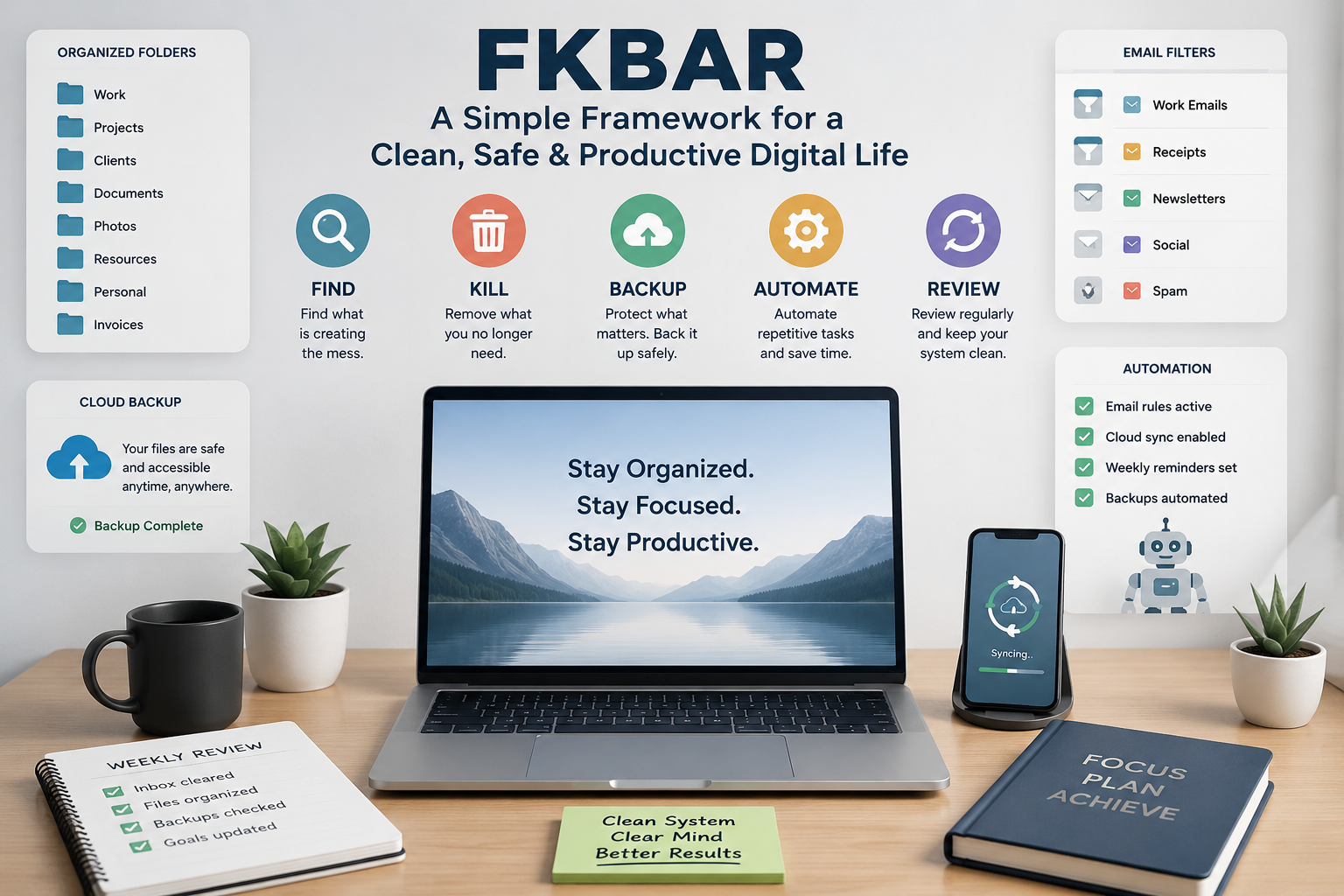
FKBAR is a simple digital decluttering framework built around five clear actions: Find, Kill, Backup, Automate, and Review. It helps you take control of your files, folders, emails, apps, notes, photos, and digital tasks without feeling overwhelmed.
The best thing about this method is that you do not need to be a tech expert. You do not need expensive software. You only need a clear process and a little time. Instead of randomly deleting files or moving things around, this framework gives you a step-by-step way to clean, protect, and manage your digital space.
Think of it like cleaning your room. First, you find what is lying around. Then you remove what you do not need. After that, you protect important things, create simple systems, and check everything regularly. The same idea works for your digital life.
What Is FKBAR?
FKBAR is a practical method for digital organization. Each letter stands for one action that helps you manage digital clutter in a smarter way. The five steps are Find, Kill, Backup, Automate, and Review.
The goal is not only to delete files with FKBAR. The real goal is to build a cleaner digital system that saves time, reduces stress, and keeps important data safe. Many people clean their folders once, but after a few weeks, the mess comes back. This happens because they only clean the surface. They do not fix the habits that created the clutter.
This framework solves that problem by combining cleanup, protection, automation, and regular review. You are not just making things look neat for one day. You are creating a simple routine that helps your digital life stay organized for the long run.
FKBAR works for students, freelancers, business owners, remote workers, bloggers, marketers, designers, and anyone who uses a computer or phone every day.
Why Digital Clutter Is a Bigger Problem Than You Think
Digital clutter looks harmless at first. A few extra files on your desktop do not feel like a big issue. Ten unread emails are easy to ignore. A full downloads folder seems normal. But over time, this clutter steals your focus.
You waste time searching for files. You open the same document again and again because you forgot where you saved the latest version. You miss important emails because your inbox is full of promotions. Your device slows down because storage is packed with old screenshots, duplicate images, and unused apps.
This creates mental stress too. A messy digital space can make simple work feel harder. When every folder is confusing, your brain has to work extra just to find basic things. That small friction adds up every day.
A clean digital system gives you breathing room. You know where things are. You can start work faster. You feel more in control. You also reduce the risk of losing important files because everything is backed up and easier to manage.
Step 1: Find What Is Creating the Mess with FKBAR
The first step is Find. Before you clean anything, you need to know where the clutter lives.
Start with the main places where digital mess usually builds up. Check your desktop, downloads folder, documents folder, phone gallery, email inbox, cloud storage, browser bookmarks, notes app, and messaging apps. These are the usual hiding spots.
Do not try to fix everything immediately. Just observe. Ask yourself simple questions. Where do files pile up most often? Which folders confuse you? Which apps do you never use? Which files are taking the most storage? Which emails keep distracting you?
This step is important because many people clean the wrong area first. For example, they may spend one hour organizing old photos while their real problem is a messy inbox. Or they may delete random files while their cloud storage is full of duplicate backups.
A good way to begin is to make a quick list of your top five clutter zones. For example:
Desktop
Downloads folder
Email inbox
Phone photos
Google Drive or OneDrive
Once you know the main problem areas, the rest becomes easier. You are no longer guessing. You are working with a clear map.
How to Find Digital Clutter Faster
You can find digital clutter faster by sorting files by size, date, or type. Large videos, old zip files, duplicate images, and unused installers often take up the most space. Look for files you downloaded once and never opened again.
Search your device for common file types like .zip, .mp4, .pdf, .docx, and screenshots. You may be surprised by how many old files are sitting there without any purpose.
In your email, search for large attachments, newsletters, old receipts, and unread messages. In your phone gallery, look for blurry photos, repeated images, and screenshots you no longer need.
The Find step should not feel perfect. You are not building a museum. You are simply finding the areas that need attention first.
Step 2: Kill What You No Longer Need
The second step is Kill. In this context, “kill” simply means remove, delete, unsubscribe, or stop what is no longer useful.
This is where you clear the noise.
Start with easy items. Delete old screenshots, duplicate downloads, empty folders, broken shortcuts, outdated drafts, and unused apps. Remove files that you know you will never need again. Unsubscribe from emails you never read. Leave groups or channels that only waste your attention.
This step works best when you use simple rules. If a file is outdated, duplicated, or useless, remove it. If an app has not been used in months and has no real purpose, uninstall it. If a newsletter never helps you, unsubscribe.
Be careful with important documents. Do not delete legal papers, tax files, school records, business files, passwords, client work, or personal memories without checking first. For anything important, move it to a proper folder or backup it before removing copies.
The point is not to delete everything. The point is to remove digital noise so the important things become easier to see.
What You Should Remove First
Begin with low-risk clutter. This helps you build momentum without fear.
Remove old installation files, duplicate PDFs, random image downloads, empty folders, unused desktop shortcuts, and temporary files. Then move to emails. Delete spam, promotions, expired offers, old notifications, and messages you no longer need.
Next, clean your phone. Most people have hundreds of screenshots they never use. Delete blurry photos, accidental images, repeated selfies, and old videos that take too much storage.
After that, clean apps and browser extensions. Unused apps can slow you down, send notifications, and create extra digital noise. Keep only what you actually use.
This small cleanup can make your device feel lighter quickly.
Step 3: Backup What Matters
The third step is Backup. This is the safety step. Before you go too far with cleaning, make sure your important files are protected.
A clean digital life is not only about deleting clutter. It is also about keeping valuable data safe. You may have school documents, work files, family photos, business records, passwords, creative projects, or important emails. Losing them can create real problems.
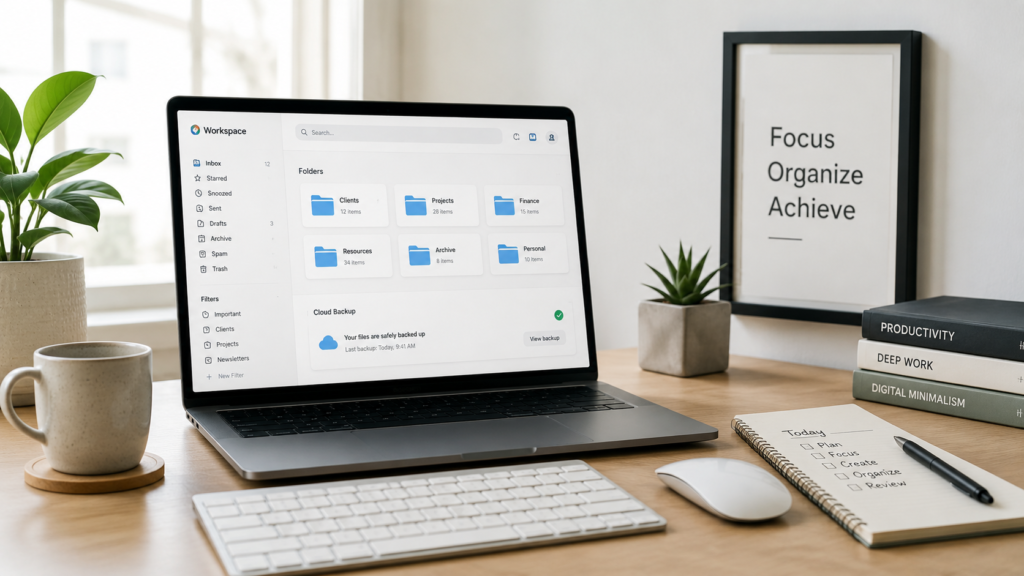
Use cloud storage, an external drive, or both. A smart backup plan gives you peace of mind. If your laptop breaks, your phone is lost, or a file gets deleted by mistake, you can recover what matters.
Create folders for important categories. For example:
Personal Documents
Work Files
School or Study Material
Photos and Videos
Business Records
Website Files
Design Projects
Name files clearly. A file called “final-final-new2.pdf” is confusing. A better name is “Client-Proposal-June-2026.pdf”. Clear names save time later.
A Simple Backup System Anyone Can Use
You do not need a complex backup setup. Start with three basic actions.
First, save important files in one main folder. Do not scatter them across your desktop, downloads, and random folders.
Second, copy that folder to cloud storage. This allows you to access files from another device if needed.
Third, keep another copy on an external drive if the files are very important. This adds extra protection.
You can also use automatic backup features on your computer or cloud service. Automation makes the process easier because you do not have to remember every time.
The main rule is simple: if losing a file would hurt you, back it up.
Step 4: Automate Repetitive Digital Tasks
The fourth step is Automate. This is where your digital system becomes smarter.
Many digital problems repeat because we handle them manually every day. Emails keep coming. Downloads keep piling up. Screenshots keep filling the gallery. Tasks get forgotten. Files get saved in the wrong place.
Automation helps reduce that repeated work.
Start with email filters. You can create rules that send newsletters to one folder, receipts to another, and important client emails to a priority label. This keeps your inbox cleaner without daily effort.
You can also use calendar reminders for weekly cleanup, automatic cloud sync for backups, browser bookmark folders, password managers, and task apps. Even simple automation can save hours over time.
Automation does not mean you need advanced tools. It means setting small rules that make your digital life easier.
Easy Automation Ideas for Beginners
Here are simple automation ideas you can start with today.
Create an email rule for receipts. Move them into a “Receipts” folder automatically.
Create a folder for downloads you need to review every week.
Turn on automatic photo backup if your phone has important memories.
Use calendar reminders for monthly file cleanup.
Set browser bookmarks into folders like Work, Study, Tools, Banking, Shopping, and Reading.
Use templates for repeated emails, documents, or social media posts.
Set recurring reminders for bills, renewals, reports, or content publishing tasks.
These small systems reduce decision fatigue. You stop repeating the same boring tasks again and again.
Step 5: Review Your System Regularly
The fifth step is Review. This is what keeps everything from becoming messy again.
Digital decluttering is not a one-time job. New files, emails, photos, apps, and tasks appear every day. If you never review your system, clutter returns.
Set a simple review routine. You can do a 10-minute review every Friday or a 30-minute review at the end of each month. Choose a time that feels realistic.
During your review, check your downloads folder, desktop, inbox, cloud storage, and phone gallery. Delete what you do not need. Move important files to the right folders. Check that backups are working. Update your folder names if needed.
This step keeps your system alive. FKBAR also helps you notice bad habits. Maybe you save too many things on the desktop. Maybe you never rename files. Maybe you download the same documents again and again. Once you notice the pattern, you can fix it.
A Weekly Review Checklist
Use this simple weekly checklist:
Clear your desktop.
Empty or organize downloads.
Delete useless screenshots.
Reply to important emails.
Archive old emails.
Move files to correct folders.
Check backup status.
Remove one unused app or tool.
Update your task list.
Clean browser tabs and bookmarks.
This review does not need to take long. Even 15 minutes can make a big difference if you do FKBAR every week.
Who Should Use This Framework?
This framework is helpful for anyone who works, studies, or creates online.
Students can use it to organize assignments, notes, PDFs, research files, and class materials. Freelancers can use FKBAR to manage client files, invoices, proposals, and project folders. Bloggers and website owners can use FKBAR to organize images, drafts, keyword files, backups, and content calendars.
Business owners can use FKBAR to clean emails, store contracts, manage receipts, and protect important data. Designers, editors, and content creators can use it to organize large files, project versions, exports, and creative assets.
Even casual users can benefit. If your phone gallery is messy, your email is full, or your laptop desktop looks crowded, this method can help.
The beauty of this framework is its flexibility. You can use FKBAR for your full digital life or only one area, such as email, photos, or work files.
Common Mistakes People Make While Decluttering
One common mistake is trying to clean everything in one day. That sounds productive, but it often leads to burnout. Digital clutter usually builds over months or years. You do not need to fix it all in one sitting.
Another mistake is deleting too quickly. Some people remove files without checking if they are backed up. This can create bigger problems later. Always protect important files before deleting copies.
A third mistake is creating too many folders. Too many folders can become another kind of clutter. Keep your folder system simple. Use broad categories first, then add subfolders only when needed.
Another mistake is ignoring file names. A well-named file is easier to find than a file hidden in ten folders. Use clear, simple names with dates or project titles.
The final mistake is skipping review. If you clean once and never review, the mess will return. A small review routine is more powerful than one big cleanup every year.
How FKBAR Helps Productivity
The biggest benefit of FKBAR is speed. You spend less time searching and more time doing. When files are organized, you can start work faster.
FKBAR also helps focus. A clean desktop and inbox reduce distractions. You are not constantly reminded of unfinished tasks, random files, and unread messages.
FKBAR improves safety too. Backups protect your important data. If something goes wrong, you are not starting from zero.
FKBAR also builds confidence. You feel more in control of your digital space. You know where your work lives. You know what needs attention. You know what can be removed.
Productivity is not only about doing more. FKBAR is also about removing friction. This framework removes small digital problems before they become daily stress.
How to Use This Method for Email
Email is one of the biggest sources of digital clutter. A messy inbox can hide important messages and make you feel behind.
Start by finding the main types of emails you receive. You may have work emails, newsletters, receipts, social notifications, client messages, school updates, and spam.
Next, remove what you do not need. Unsubscribe from newsletters you never read. Delete expired promotions. Archive old conversations that no longer need action.
Then back up important attachments or documents. Save contracts, invoices, and key files in proper folders.
After that, automate your inbox with filters or rules. Move receipts, newsletters, and updates into separate folders. Keep your main inbox for important messages only.
Finally, review your inbox weekly. Reply, archive, delete, or move emails before they pile up again.
How to Use This Method for Files and Folders
Files are easier to manage when you create a simple structure.
Start with main folders like Work, Personal, Study, Finance, Photos, and Projects. Inside each folder, create only the subfolders you truly need.
For example, a Work folder may include Clients, Proposals, Reports, Invoices, and Templates. A Photos folder may include Family, Travel, Events, and Screenshots.
Use clear file names. Add dates when useful. For example:
2026-06-Client-Invoice.pdf
Website-Backup-June-2026.zip
English-Assignment-Draft.docx
Product-Photos-Final.zip
Avoid names like “new file,” “final final,” or “untitled.” These names create confusion later.
Once your folders are clean, make backup part of the system. Important folders should not live in only one place.
How to Use This Method for Phone Storage
Phones collect clutter faster than laptops. Photos, videos, downloads, apps, voice notes, and chat media can fill storage quickly.
Start by checking storage settings. See which apps and files take the most space. Then clean low-risk items first, such as duplicate photos, blurry images, old screenshots, and unused downloads.
Move important photos and videos to cloud storage or an external backup. Then delete unnecessary copies from your device.
Check messaging apps too. Many people have large video files saved from chats. Remove media you do not need.
Uninstall apps you no longer use. Turn off notifications from apps that distract you. A cleaner phone is not only faster. It also feels calmer.
A Simple 7-Day FKBAR Plan
If your digital life feels too messy, use this 7-day plan.
- Day 1: Check your desktop and downloads folder. Delete obvious clutter and move important files.
- Day 2: Clean your email inbox. Unsubscribe, archive, and create basic folders.
- Day 3: Organize your documents. Create main folders and rename important files.
- Day 4: Clean your phone gallery. Delete screenshots, duplicates, and blurry photos.
- Day 5: Back up important files to cloud storage or an external drive.
- Day 6: Set up simple automation. Create email filters, calendar reminders, or auto-sync.
- Day 7: Review everything. Check what worked, what still feels messy, and what needs a better system.
This plan is simple, but it works because it gives each day one clear job.
Best Practices for Long-Term Digital Organization
Keep your system simple. The more complex it is, the harder it becomes to maintain.
Use fewer folders with better names. Save files in the right place the first time. Review downloads weekly. Delete screenshots after using them. Back up important work before making big changes.
Create a “To Sort” folder if needed, but do not let it become a second junk drawer. Review it every week.
Use one main cloud storage system if possible. Keeping files across too many platforms can create confusion.
Do not save everything “just in case.” If something has no future value and is safely replaceable, remove it.
Most importantly, make digital cleanup a habit. Small habits beat big cleaning sessions.
Final Thoughts
FKBAR is useful because it keeps digital organization simple. You find the mess, remove what is useless, back up what matters, automate repeated tasks, and review your system regularly.
You do not need a perfect setup. You only need a clear starting point. Begin with one folder, one inbox, or one device. Clean it step by step. Once you feel the difference, move to the next area.
A clean digital life saves time, lowers stress, and protects important data. FKBAR helps you work faster, think clearer, and feel more in control.
So, if your files, emails, photos, or apps feel out of control, start today. Use the framework one step at a time. Your future self will thank you every time you find the right file in seconds instead of searching for it in frustration.
FAQs
What does FKBAR mean?
FKBAR stands for Find, Kill, Backup, Automate, and Review. It is a simple framework for cleaning and managing digital clutter.
Is this method only for work files?
No. You can use FKBAR for work files, school notes, emails, phone photos, apps, cloud storage, and personal documents.
How often should I review my digital system?
A weekly review is best for most people. If you are very busy, a monthly review is still better than doing nothing.
Should I delete all old files?
No. Delete only files that are useless, duplicated, or safely backed up. Keep important documents, personal records, and valuable memories.
Do I need paid tools for this method?
No. You can start with built-in folders, email filters, cloud storage, calendar reminders, and basic cleanup tools.
